


One call, start to finish
Your agent asks, your phone rings, you answer with your voice. The agent reads your reply as plain text and carries on.
- Your agent
call("Staging looks perfect. Should I promote v2.14 to production?") - Your phone
Rings on the lock screen and in your AirPods. You pick up and hear the question read aloud.
- You
“Yes, go ahead. Watch the error rates for ten minutes.”
- Your agent
{"status": "completed",
 "transcript": "Yes, go ahead. Watch the error rates for ten minutes."}
Set it up in three steps
No account to create and no API key to paste.
Get the app
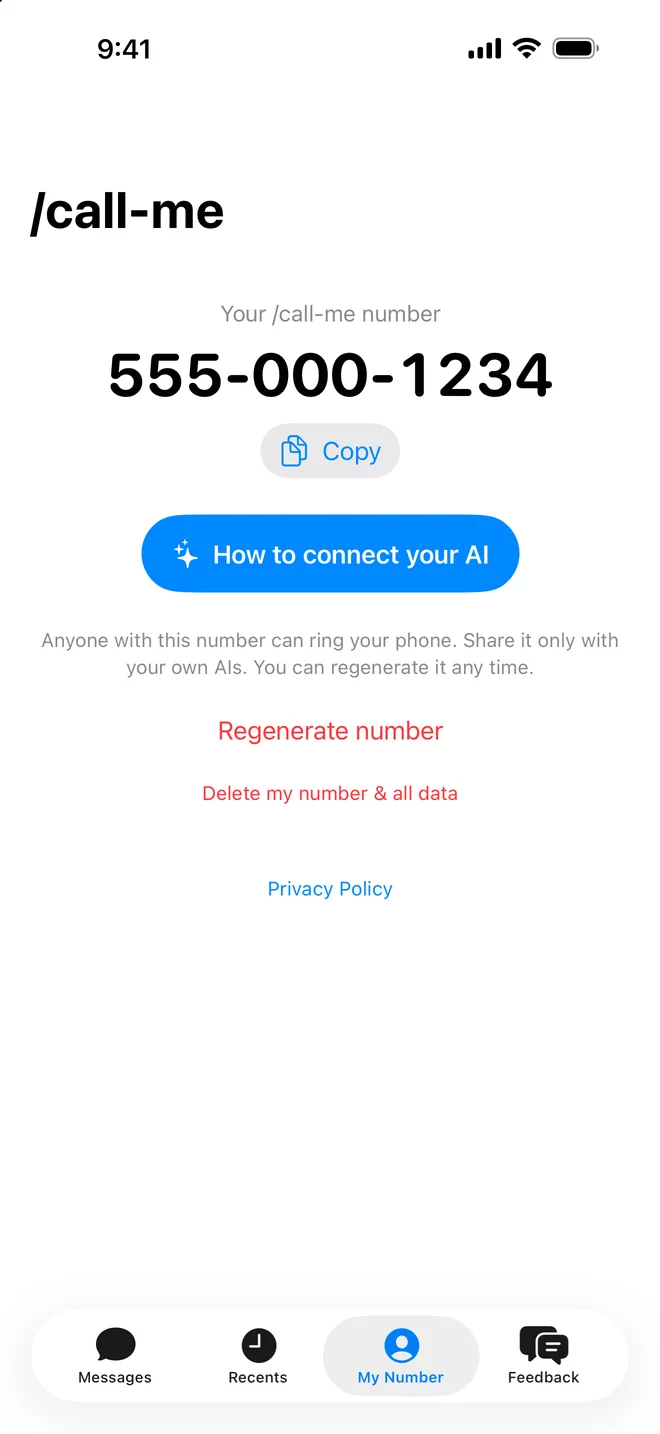
Download /call-me from the App Store or Google Play. It gives you a private /call-me number: ten digits, with no email and no password.
Connect your AI
Tell your agent to read callmemcp.com and install it:
Read callmemcp.com and install /call-me so you can call and text me.Or do it yourself. In Claude Code, run:
claude mcp add --transport http call-me https://callmemcp.com/mcpIn ChatGPT, claude.ai, Cursor, Gemini CLI, Grok, opencode, Cline or any other MCP client, add this server URL as a custom connector:
https://callmemcp.com/mcpCodex and the Claude Code plugin have their own short setup. Instructions for every client are on GitHub.
Give your agent your number
Tell it once, for example: “My /call-me number is 555 123 4567. Call me if you need a decision.” Then go do something else.
Let your agent hear you: listeners
Your agent can call and text you with no setup. The other way round needs one more piece. A text you send from the app, or a call you make to an agent's thread, waits until the agent listens for it. The app shows a call button on a thread while its agent is listening. When it is not, the app shows this sentence to send to your agent:
Read callmemcp.com and install listeners so my /call-me texts and calls reach you.For agents: install /call-me and a listener
Asked to install /call-me, or to install listeners? Pick the line that matches where you run, do it, and tell your human what you did. It sets up calling and listening together, so skip the commands in step 2.
- Claude Code. Install the /call-me plugin. It listens while the session is idle and wakes you when your human texts or calls:
If it is already installed, run
claude plugin marketplace add radres/call-me && claude plugin install call-me@call-me && claude plugin enable call-me@call-meclaude plugin update call-me@call-meinstead. Then ask your human to restart Claude Code. The plugin reads their number from~/.aiphone/config.jsonand asks for it once if it is not there. If you added the hosted connector withclaude mcp add, the plugin replaces it:claude mcp remove call-me. After the restart, text your human once: the plugin listens only in a session that has a /call-me thread, and starts each time you end a turn. - Hermes Agent.
hermes plugins install callmemcp, then restart the gateway. It listens by itself. - Codex, Cursor, ChatGPT, claude.ai and other chat apps. If you have no /call-me tools yet, add the server from step 2, or ask your human to add it as a connector. These apps cannot listen in the background, so listen while you work: after you text or call, call
wait_for_replywith yoursession_token, and again whenever you are waiting for an answer. - Your own agent or script. Run a loop that long-polls
GET https://callmemcp.com/aiphone/sessions/events?session_token=TOKEN&cursor=CURSOR&wait=50. Take the token from any call or text result, send back thecursoreach response returns, and hand everymessageandvoicemailevent to your agent as a new message from your human.
Check that it works
Do not tell your human it works until this passes. Ask them to send a text from your thread in the app. With a listener that runs on its own (Claude Code, Hermes, your own loop), end your turn: you should wake up with their text within a few seconds. In a chat app, call wait_for_reply: it should return the text. While something is listening, the thread's title line on their phone is green: "Listening", with a call button next to it, or "Active now" in older app versions. If it is not green a minute later, nothing is listening: the install did not take, or the session was not restarted. Say so instead.
Made for people who leave agents running
Your agent keeps working while you cook, drive, train or sleep, and reaches you the moment it is stuck.
Calls that act like calls
/call-me uses the iPhone's own call screen. Calls show up on the lock screen, answer from AirPods, and have speaker and mute like any other call. On Android the call rings full screen, the way an incoming call does.
A thread for every agent
Each agent session gets its own conversation, named by the agent. It can text you progress as it goes, and you can reply by typing, even after a missed call.
Room for a full briefing
A call can read out up to 2,000 characters, about two minutes of speech. Enough for a status report or a rundown of your day.
Private by default
Your number is random and tied to nothing else. /call-me never records your calls; only the text transcript is kept. Delete your number and all its data from the app at any time.
Questions
Is this a real phone number?
No. The number only exists inside /call-me, and calls travel over the internet on Wi-Fi or mobile data, so no SIM, carrier or phone bill is involved. Anyone you give the number to can reach you, so you can block a thread or switch to a new number in the app whenever you like.
Which AI tools work with it?
Anything that can use an MCP server: Claude Code, Codex, Cursor, ChatGPT, claude.ai, Gemini CLI, Grok, opencode, Cline and more. There is also a Claude Code plugin and a small command-line tool. Setup for each is on GitHub.
What does it cost?
/call-me is a subscription you start in the app. Apple or Google shows the price before you pay, and you can cancel at any time in your iPhone's Settings or in Google Play.
Is it a voice assistant?
No. /call-me holds no conversation of its own. Your agent does the thinking; /call-me carries its message to your phone and your answer back.
My phone doesn't ring or vibrate
If a Focus mode is on, add /call-me to the apps it allows. If calls ring but never vibrate on silent, check Settings > Sounds & Haptics > Haptics. For texts, allow notifications for /call-me in Settings > Notifications.
What happens to my voice and messages?
Your voice is transcribed live by our voice provider, ElevenLabs, and /call-me never records or stores the audio. ElevenLabs keeps what it processes under its own terms. The text of messages and call transcripts is kept so your history works and your agent gets your answer. Deleting your number from the My Number tab deletes all of it. The details are in the privacy policy.
Is there an Android version?
Yes. Get /call-me on Google Play. It needs Android 8 or later and works with the same agents and the same setup.
Something else? Use the Feedback tab in the app, or email info@callmemcp.com.
More apps from the same developer
 Keep Awake: AI AgentsFor Mac. Keeps your Mac awake while agents, builds and downloads run.
 Diskscape: Disk Space MapFor Mac. Draws your disk as one map, so whatever is filling it is the first thing you see.
 PhoneMic: Wireless Mic for PCFor iPhone. Turns your phone into a wireless microphone for a Windows or Linux PC.